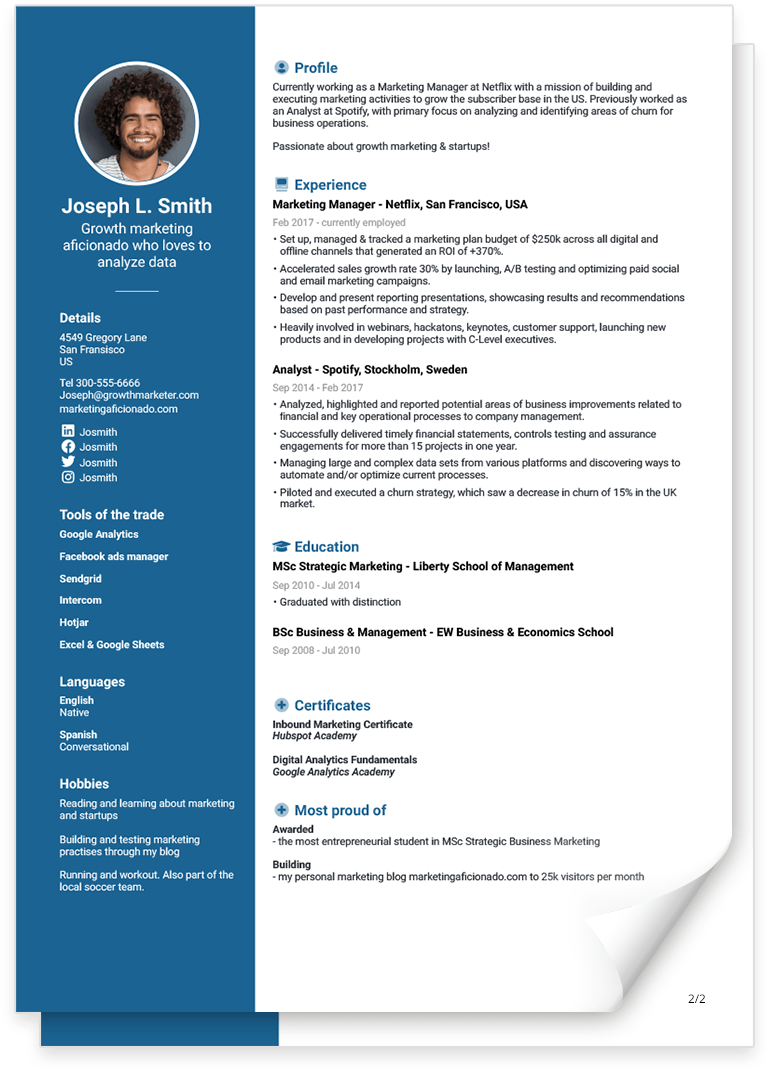
CV Format Guide for 2026 [With 10+ Examples]
![CV Format Guide for 2026 [With 10+ Examples]](https://jofibostorage.blob.core.windows.net/blog/cv-format-guide-header.png)
TL;DR – Which CV Format Should You Use in 2026?
- Reverse-chronological CV → Best for most professionals with steady career growth
- Functional CV → Best for career changers or employment gaps
- Combination CV → Best for technical or skills-heavy roles
- In the US, a CV is mainly academic
- In Europe, a CV = resume
In 2026, ATS compatibility and clean structure matter more than visual design
What Is a CV Format?
Definition:
A CV format is the structural layout of your CV that determines how your experience, skills, and education are organized.
The three standard CV formats are:
- Reverse-chronological
- Functional
- Combination (hybrid)
Most recruiters and applicant tracking systems (ATS) prefer reverse-chronological formatting because it clearly shows career progression.
What To Include on a CV
If you are looking for an academic position in the US, or you’re job searching in Europe, chances are that you will need a CV.
A CV is a document in which you list all of your professional and educational history. It’s short for the Latin phrase curriculum vitae - course of life. Like a resume its sole purpose is to provide potential employers with a detailed overview of just that - your course of life. At least in regards to your professional and academic achievements.
Formatting your CV correctly is important to make sure your information will stand out in a clear and concise manner. In this article we will focus on the top three CV formats; reverse-chronological, functional and combination.
Before we look into the different CV formats let’s get the basics covered. In the US there is a big difference between a CV and a resume while in Europe a resume and a CV is basically the same.
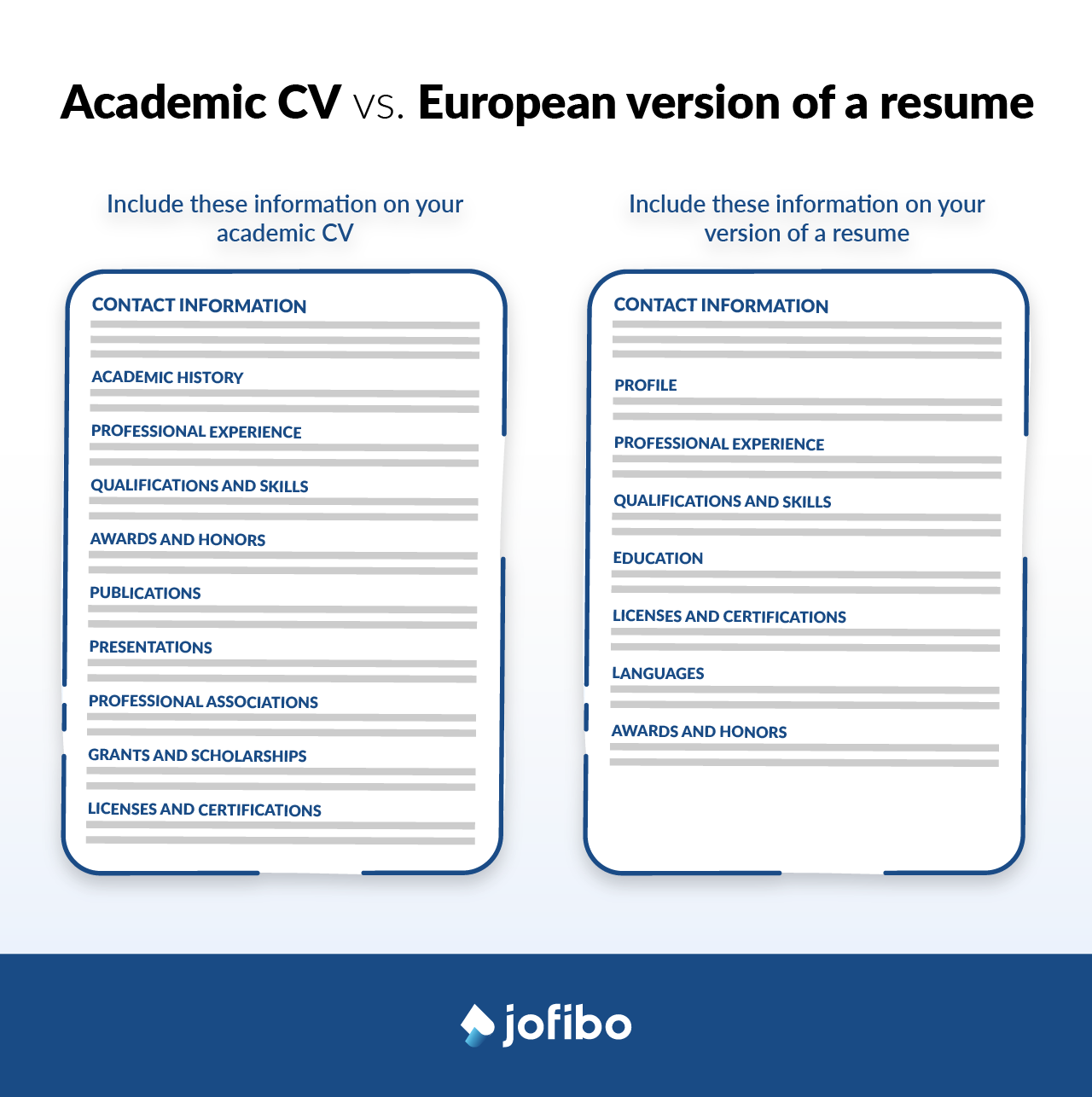
Your academic CV should contain the following sections:
- Contact information: Include your full name, address, phone number and email address.
- Academic history: List all of your educational and academic degrees from high school through postdoctoral (phd). Include the name of your title, your graduation year and the name of the school.
- Professional experience: Include the name of the organizations where you’ve worked, your job titles, the dates you were employed and a summary of your most relevant experiences and achievements.
- Qualifications and skills: List a combination of hard and soft skills you’ve developed throughout your career.
- Awards and honors: For each award, add the name, year received, the organization that gave you the award and any pertinent details (such as how often it’s presented).
- Publications: If you have any publications, provide a full citation including any co-authors, date, summary, volume, page, DOI number.
- Presentations: If you have made any relevant presentations, provide the title, date and venue where you presented.
- Professional associations: List the organization’s name, location or chapter and the dates of active membership.
- Grants and scholarships: Provide the name of the grant or scholarship, date awarded and the institution that provided the award.
- Licenses and certifications: Include the name of the license or certificate, the date you earned it and the institution that awarded it.
If you are not writing an academic CV but instead the European version of a resume, here’s what you should include:
- Contact information: Include your full name, address, phone number, email address and perhaps a link to your LinkedIn profile or personal website.
- Profile: A short summary of your professional life and achievements
- Professional experience: Include the name of the organizations where you’ve worked, your job titles, the dates you were employed and a summary of your most relevant experiences and achievements.
- Qualifications and skills: List a combination of hard and soft skills you’ve developed throughout your career.
- Education: List all of your educational and academic degrees from high school through college. Include the name of your title, your graduation year and the name of the school.
- Licenses and certifications: Include the name of the license or certificate, the date you earned it and the institution that awarded it.
- Languages: List the languages you speak well enough to use professionally
- Awards and honors: For each award, add the name, year received, the organization that gave you the award and any pertinent details (such as how often it’s presented).
Now that you know more about what to include on your CV it’s time to get a handle of the CV format.
The Top Three CV Formats
The structure of your CV plays a decisive role in how your application is evaluated. A well-chosen format strengthens clarity, highlights your strengths strategically, and aligns your experience with recruiter expectations. A poorly chosen format, on the other hand, can obscure your value — even if your qualifications are strong.
There is no universally “best” CV format. The right choice depends on your career history, your goals, and the type of role you are targeting. The key is selecting the format that presents your background in the clearest and most compelling way.
As mentioned already, the three primary CV formats used in modern hiring are:
- Reverse-chronological CV
- Functional (skills-based) CV
- Combination (hybrid) CV
Below, we break down each format in detail, including when to use it, its strengths and limitations, and practical examples to help you determine which structure best supports your job search strategy.
1. The Reverse-Chronological CV Format
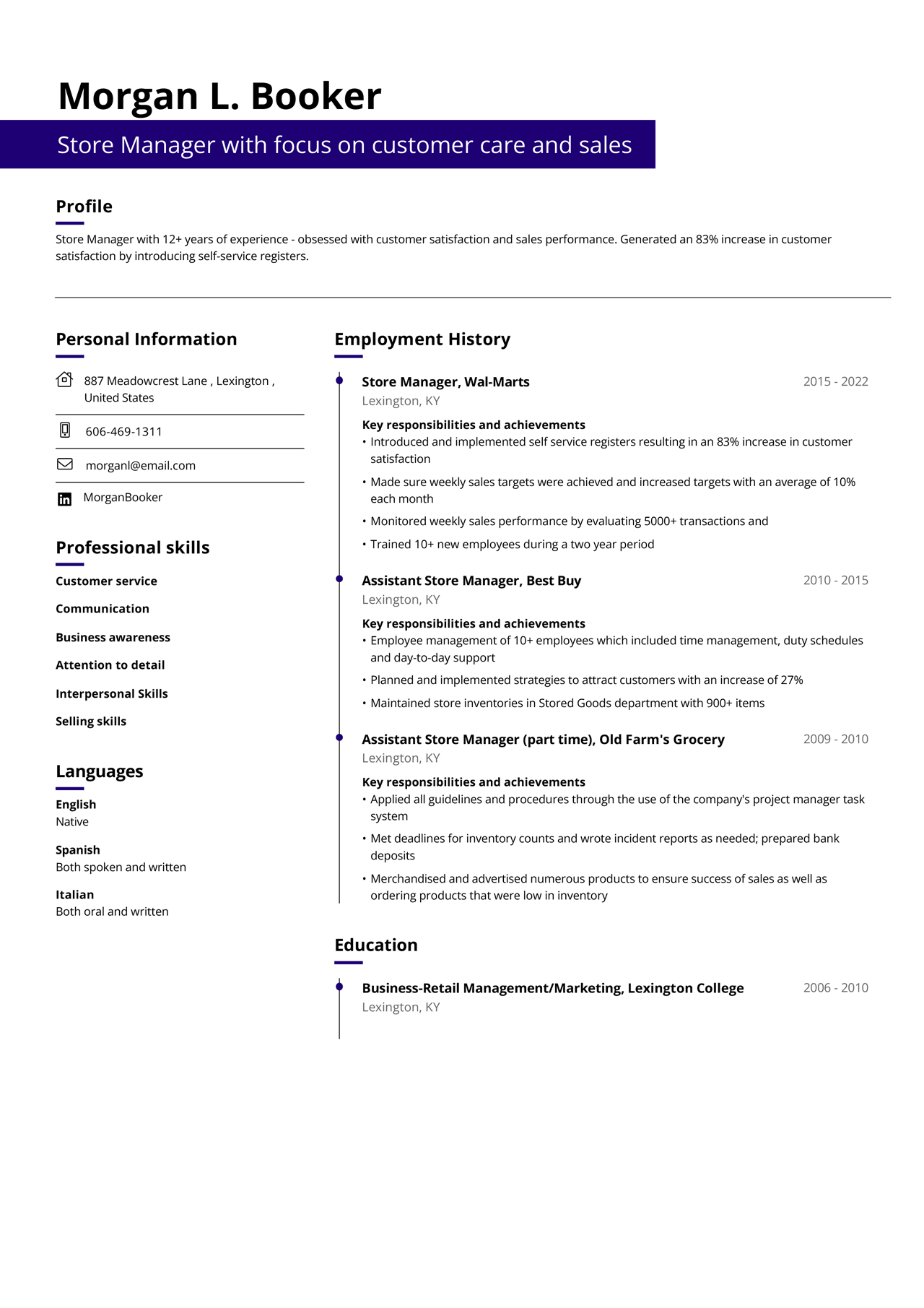
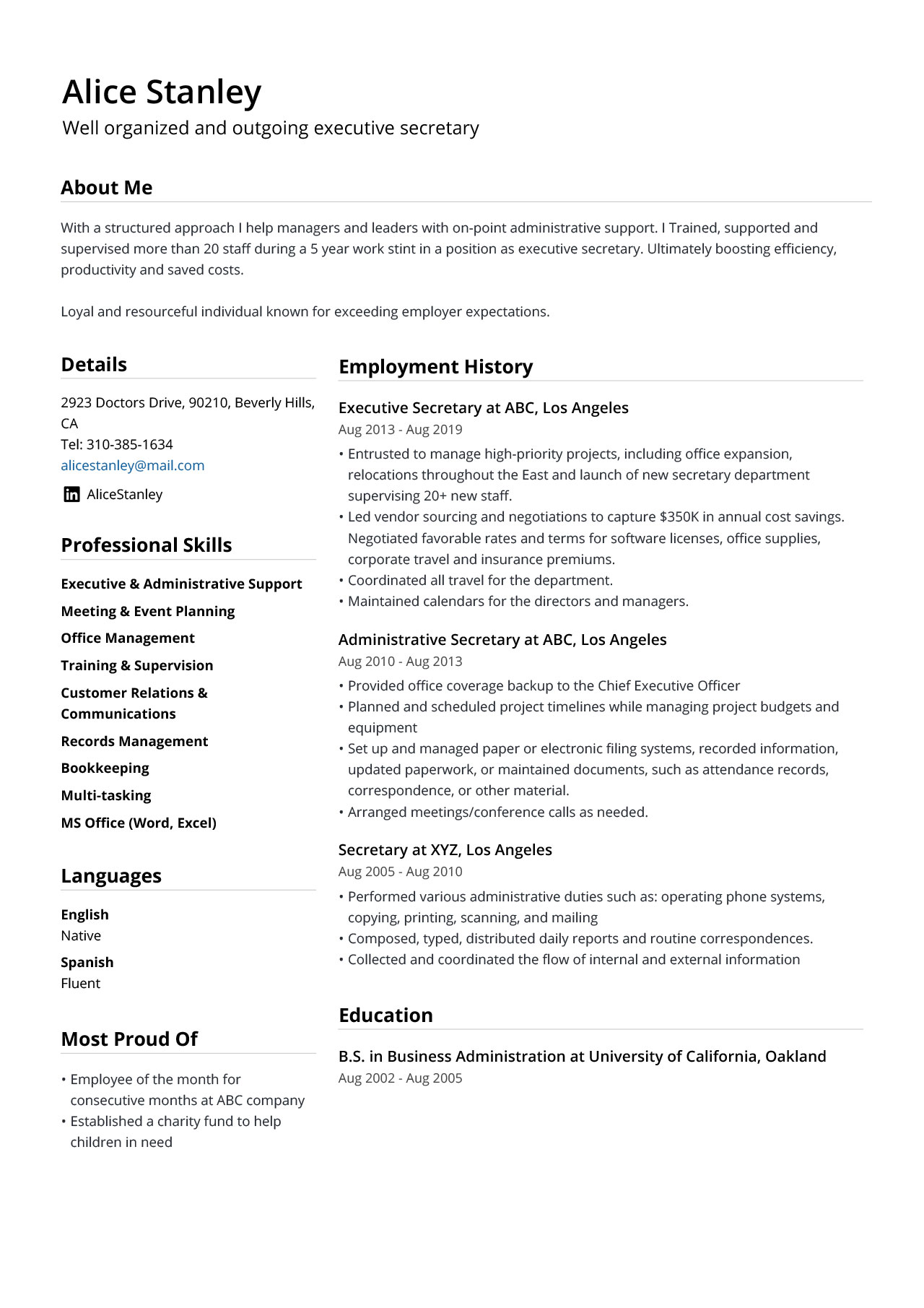
The reverse-chronological CV format is the industry standard and the most widely accepted structure in modern hiring. It is the format recruiters and hiring managers expect to see and the one they are trained to evaluate quickly and efficiently.
Most recruiters are trained to review CVs in reverse time order, starting with your most recent role.
This format places your most recent position at the top of your work experience section, followed by previous roles in reverse time order. By presenting your career progression from newest to oldest, it allows recruiters to immediately assess your current level, recent responsibilities, and professional growth.
Because it mirrors how hiring managers naturally review experience — starting with where you are now — the reverse-chronological format offers maximum clarity, credibility, and ease of evaluation.
Reverse-chronological CV example:
Pros and cons for the reverse-chronological CV format
Pros
- The most recognized CV format, by recruiters as well as ATS
- Great for showing your career progress
- Ideal if you’re looking for a job in the same field as you’re currently in
Cons
- Any gaps between employments will become very obvious
- This CV format is not ideal if you are changing career path
- Job hopping becomes very apparent
2. The Functional CV Format
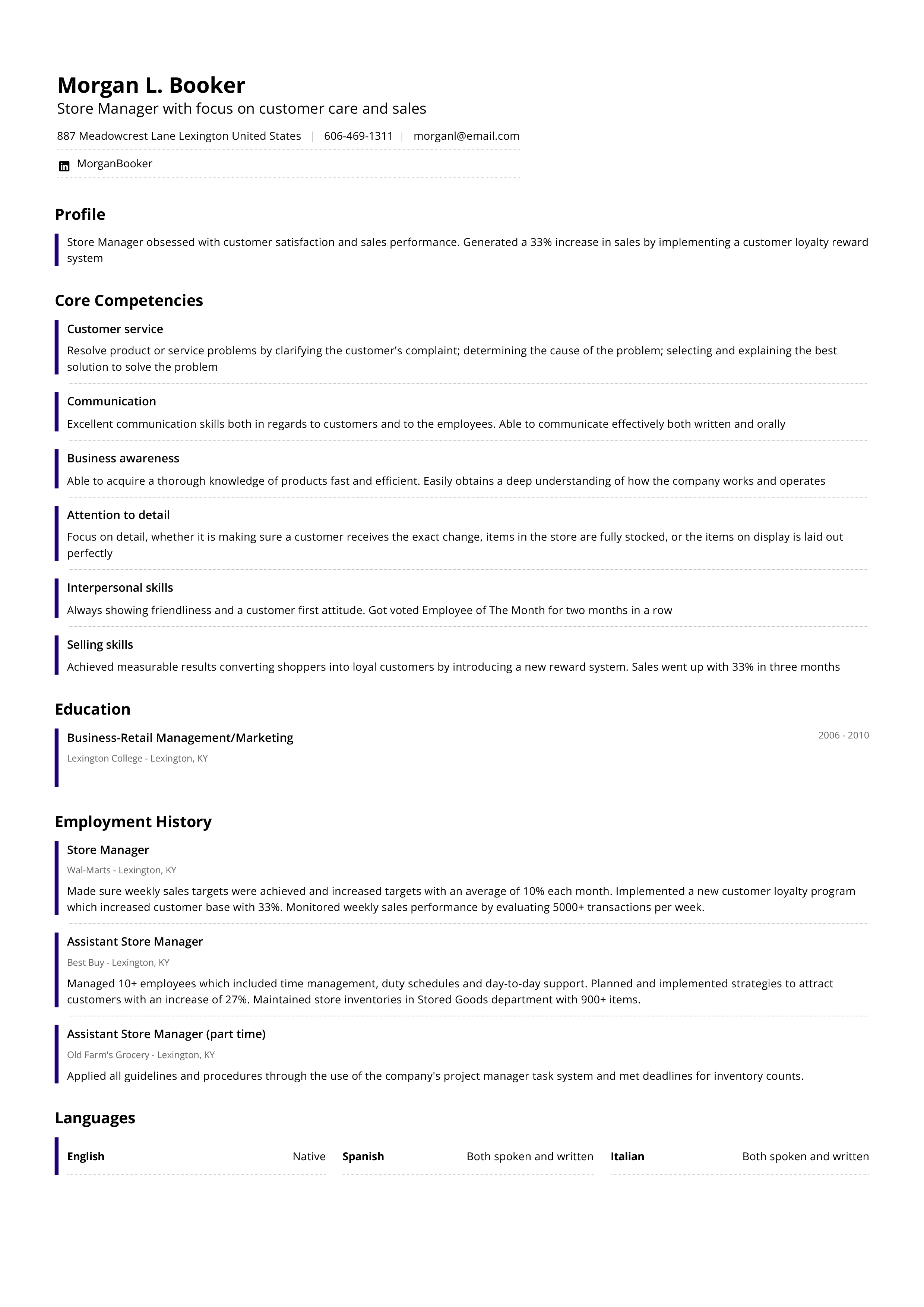
In the functional CV you emphasize your in-demand skills and other qualifications rather than your professional experiences. When using this format you more or less ignore the when and where part of your professional life and instead focus on the what part. Your skills will be displayed at the top of your CV in order of most relevant to least relevant. However, make sure that even the “least relevant” skills are still relevant to the job in question.
Functional CV example:
Pros and cons for the functional CV format
Pros
- Good for hiding large gaps in your work history
- Good for changing careers
- Good for highlighting a specific skill or skill set
Cons
- Doesn’t show off a clear career progress
- This format is not good if you lack skills that come with experience
- This format is not good if you lack transferable skills
3. The combination CV format
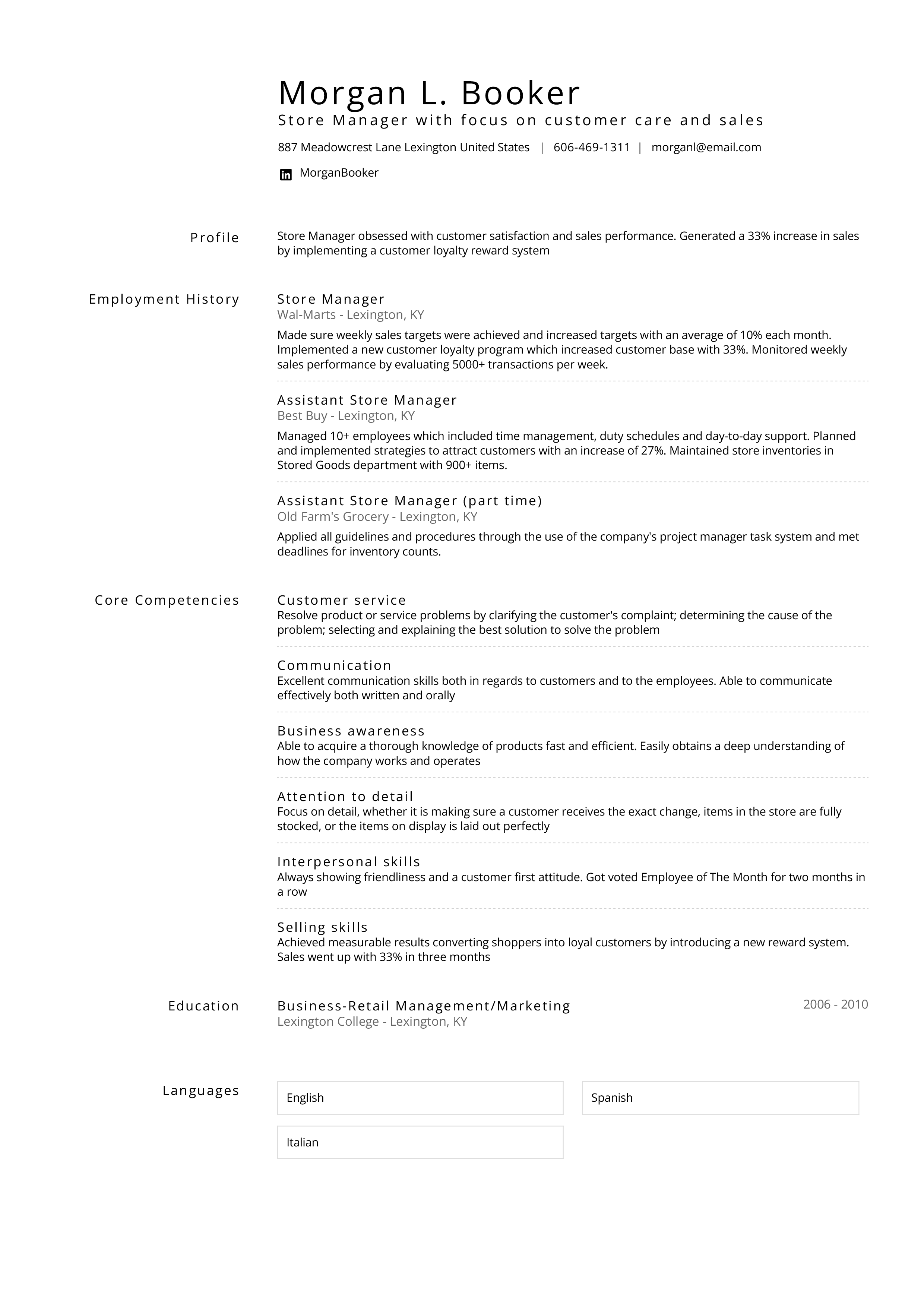
The combination CV format is, as the name implies, a combination of the two previous. Thus, it combines elements from both CV formats. You should begin your combination CV with a CV summary (your profile) followed by either a work experience section or a skills section. Additional skills can be added after the skills section. Since both work experience and skills play a big role there is not much room left on your CV for education.
Combination CV example:
Pros and cons for the combination CV format
Pros
- Good for showing off skills
- Helps you hide employment gaps
- Good if you have a lot of experience in one field
Cons
- Not good if you don’t have any experience
- Not good if you want to highlight your education
- Not good if you don’t have a lot of skills to highlight
| Format | Best For | Recruiter Preference | ATS Friendly | Risk |
|---|---|---|---|---|
| Reverse-chronological | Professionals with steady growth | Very High | Very High | Employment gaps visible |
| Functional | Career changers | Low–Medium | Medium | May look suspicious |
| Combination | Technical roles | Medium | High | Can become too long |
How to Choose the Right CV Format
Still unsure which CV format to choose? The right structure depends on your career history, your goals, and the type of company you're applying to.
Use the decision guide below to find the best match.
Ask Yourself These 5 Questions
- Do I have steady career growth in the same field? → Reverse-chronological
- Am I changing careers? → Functional or Combination
- Do I need to highlight technical or specialized skills? → Combination
- Do I have employment gaps? → Combination (not purely functional)
- Am I applying to a traditional or corporate company? → Reverse-chronological
If most of your answers point toward stability and growth, the reverse-chronological format is usually your safest and strongest choice.
Reverse-Chronological CV
Choose this format if:
- You are applying within your current field
- Your skills and work experience align clearly
- You have steady career progression
- You have no major employment gaps
- You’re applying to traditional or corporate employers
This is the most widely recognized and ATS-friendly format. Most recruiters expect it, and most of our CV templates are based on this structure.
Functional CV
Choose this format if:
- You want to change careers
- You have employment gaps you want to minimize
- The job emphasizes skills more than experience
- Your past job titles don’t clearly reflect your current strengths
Keep in mind that some recruiters are cautious about purely functional CVs because they make timelines less visible.
Combination (Hybrid) CV
Choose this format if:
- You have strong technical or specialized skill sets
- You want to highlight skills and experience equally
- You have employment gaps but still want to show work history
- The job requires specific competencies or certifications
The combination format gives you flexibility but it must be structured carefully to remain clear and ATS-friendly.
Quick Summary
- Most professionals should use reverse-chronological
- Career changers benefit from combination
- Purely functional CVs should be used strategically
- When in doubt, choose clarity over creativity
Your CV format, resume keywords, and interview preparation should work together as one unified application strategy.
CV Format Trends
Choosing the right CV format isn’t just about personal preference anymore. Hiring has changed dramatically over the past few years. Recruiters now work alongside AI screening tools, skills-based assessments, and data-driven shortlisting systems.
To stay competitive, your CV format needs to work for both humans and machines.
Here are the key trends shaping modern CV formatting:
1. AI Screening Tools Prioritize Structured Layouts
Most mid-to-large employers use applicant tracking systems (ATS) or AI-powered screening software to organize and evaluate applications. These systems perform best when your CV follows a clear, predictable structure — especially reverse-chronological formatting with standard headings like “Work Experience” and “Education.”
2. Recruiters Spend 6–8 Seconds on the First Scan
Studies consistently show that recruiters initially scan a CV for only a few seconds before deciding whether to read further. A structured layout with clear job titles, dates, and measurable results increases your chances of passing that first glance.
Your format must guide the reader’s eye immediately to your strongest qualifications.
3. Skills-Based Hiring Is Increasing
Many companies are shifting toward skills-based hiring rather than focusing solely on job titles or years of experience. This makes it essential to structure your CV in a way that highlights relevant competencies clearly — whether through a strong skills section or a well-written professional summary.
4. Keyword Alignment With Job Descriptions Is Essential
AI tools scan for keywords that match the job posting. Your CV format should allow for natural integration of role-specific terminology, industry skills, and measurable achievements.
Clean formatting helps these keywords stand out and improves searchability within internal recruiting systems.
What Is the Best CV Format for ATS?
The reverse-chronological format is generally the safest and most ATS-friendly option.
It works well because it uses:
- Standard section headings
- Clear date formatting
- Reverse time order (most recent experience first)
- Minimal graphics and complex design elements
This structure makes it easy for applicant tracking systems (ATS) to organize your information correctly. It also aligns with what recruiters are most used to seeing.
A Quick Reality Check About ATS
It’s important not to overthink ATS. Screening tools are primarily used to organize and filter applications, not to automatically reject candidates without human review. In most hiring processes, recruiters use ATS software to:
- Store and sort applications
- Search for keywords
- Compare candidates more efficiently
- Manage large applicant volumes
A real person still reviews shortlisted CVs. The system simply helps them handle volume — especially in larger companies.
So the goal isn’t to “beat the algorithm.” It’s to make your CV clear, structured, and easy to read.
When your CV is formatted logically, uses standard headings, and includes relevant keywords from the job description, both the ATS and the recruiter can quickly understand your experience.
In short: clarity and structure matter more than tricks or hacks.
Key Take Aways
If you take only one thing away from this post, let it be this: choose your CV format with care. Make sure it matches both where you are in your career and the job you’re applying to. Below is a quick overview of what we’ve been through.
- In the US you use a CV for academic purposes
- In Europe a CV is the same as a resume
- There are three CV formats: reverse-chronological, functional and combination
- Each has its strengths and weaknesses
- The reverse-chronological CV format is best to show your career progress
- The functional CV format is best for changing careers
- The combination CV format is best to show off your skills
- Always keep your CV as simple as possible
Your CV format, CV keywords, and interview preparation should work together as one unified application strategy.
Choose your format strategically. Then build a structured, ATS-friendly CV that reflects your strengths and career goals.
Already have a CV? Import it directly into our CV builder

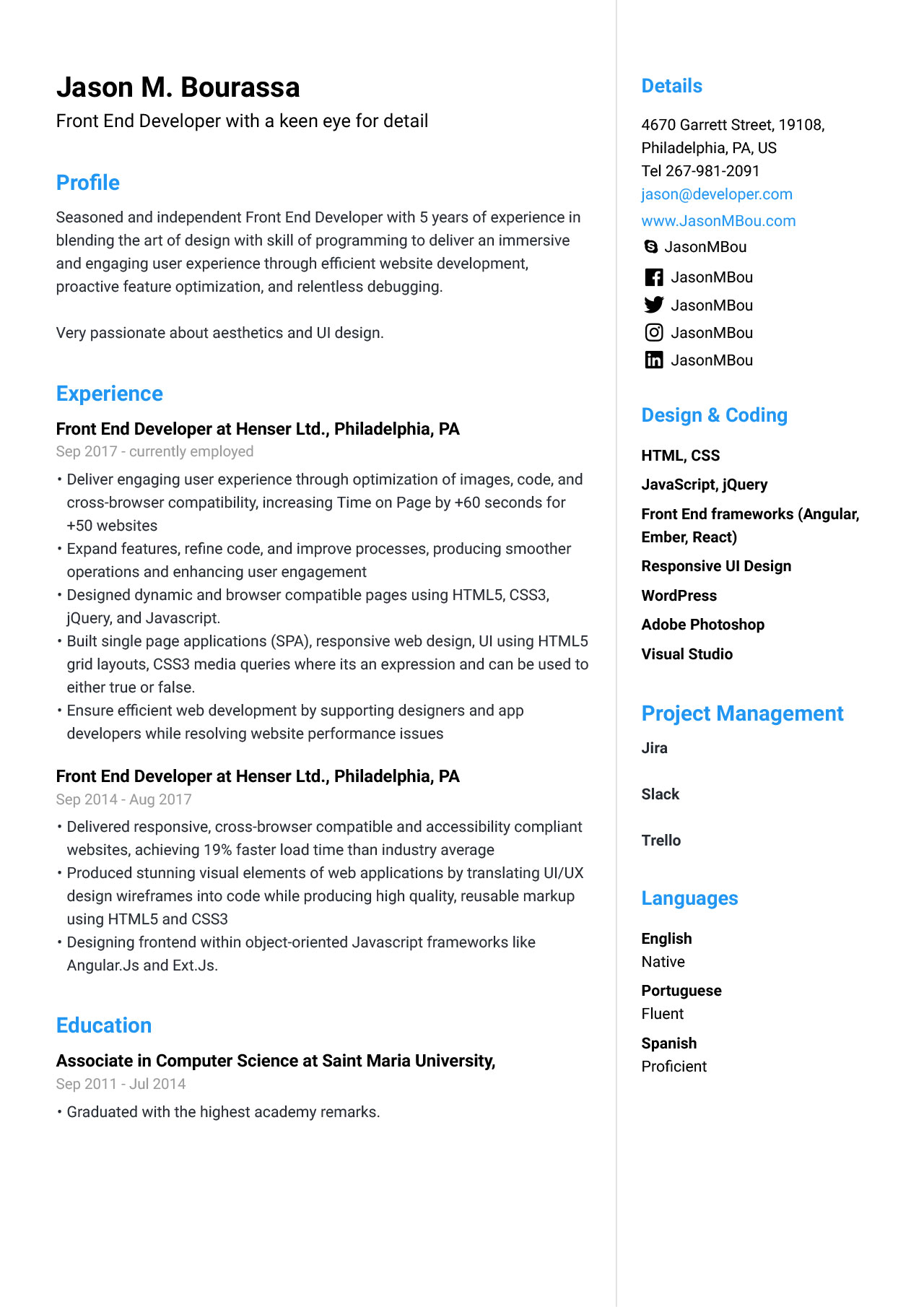
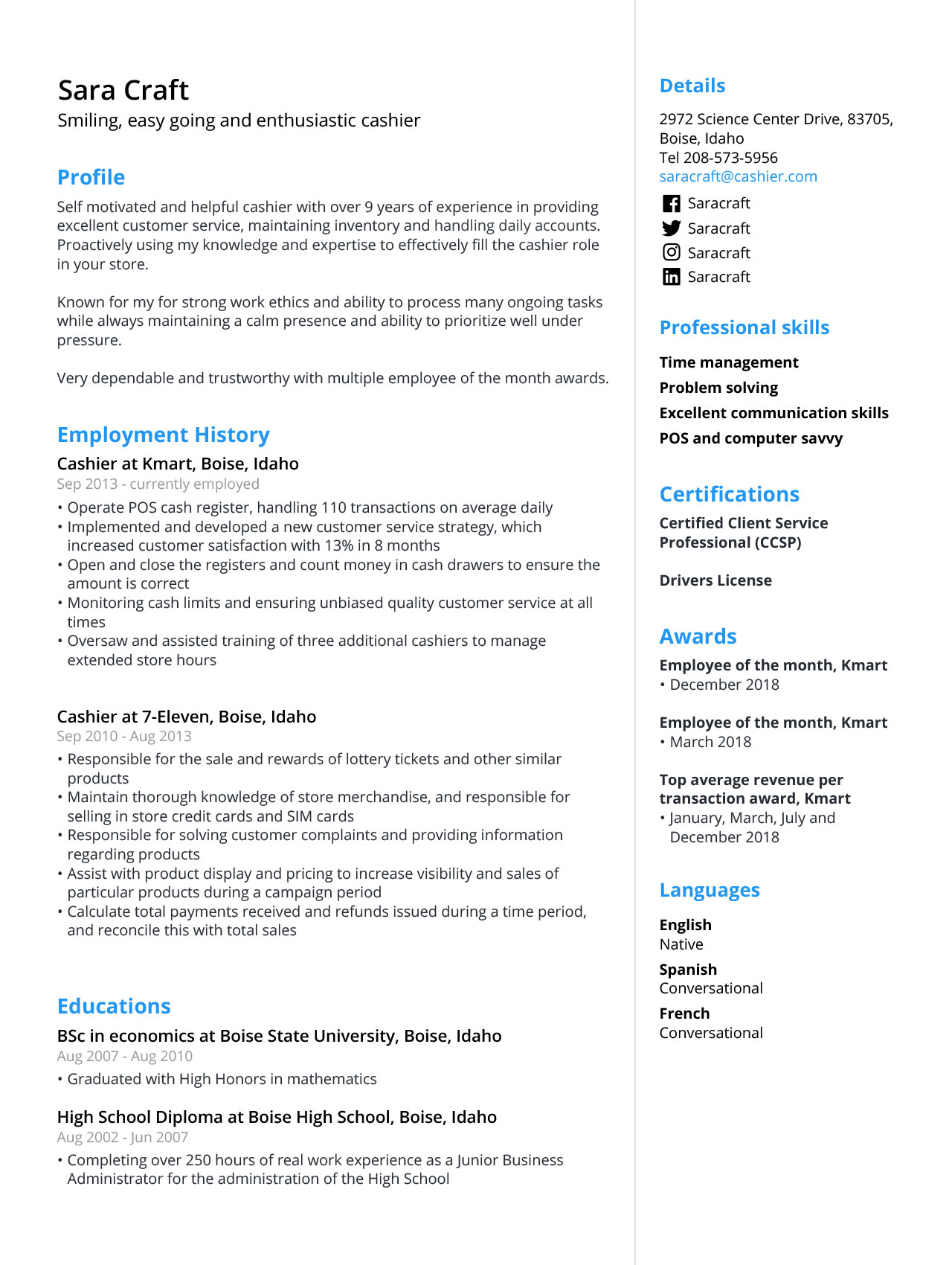
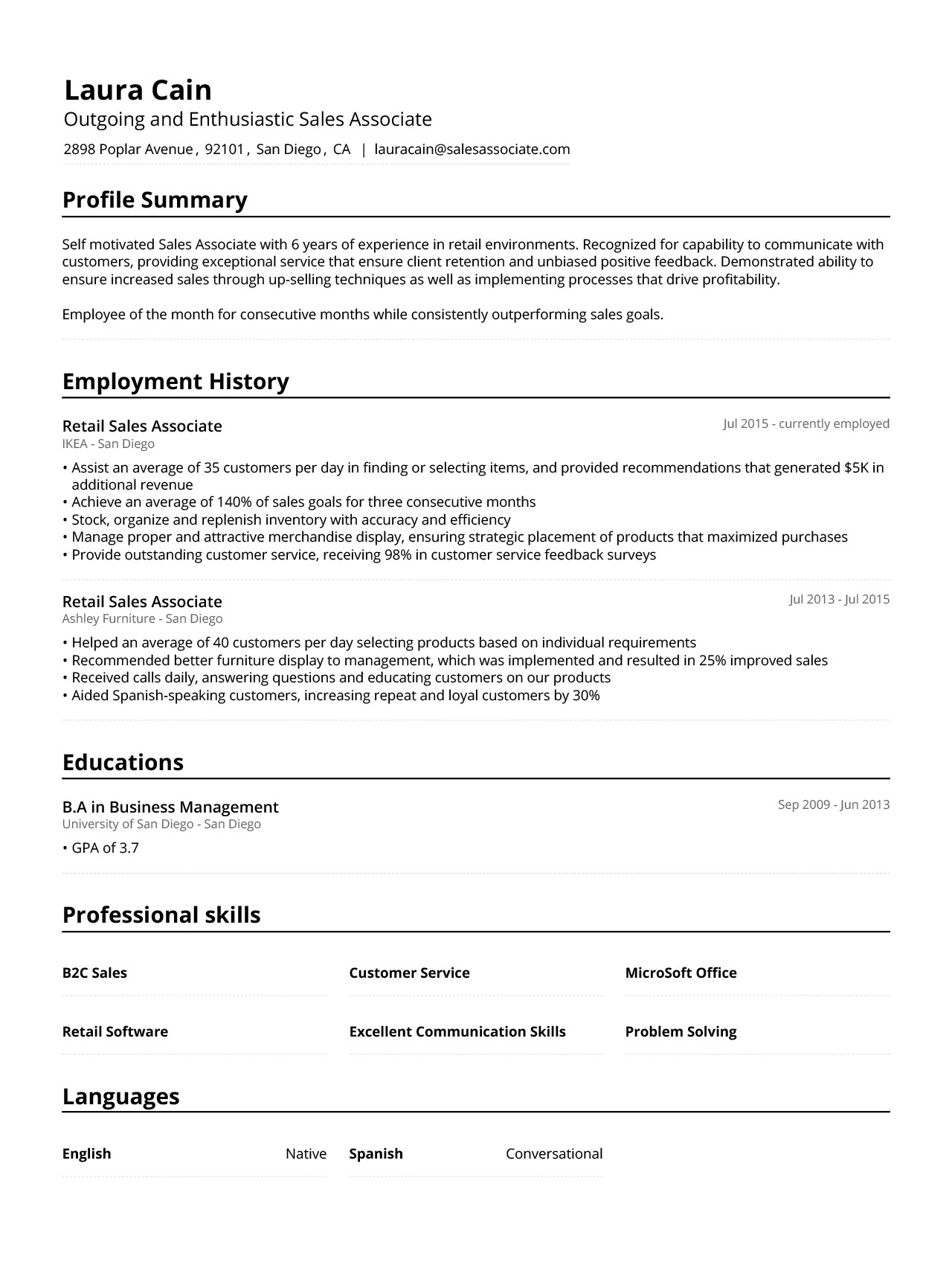
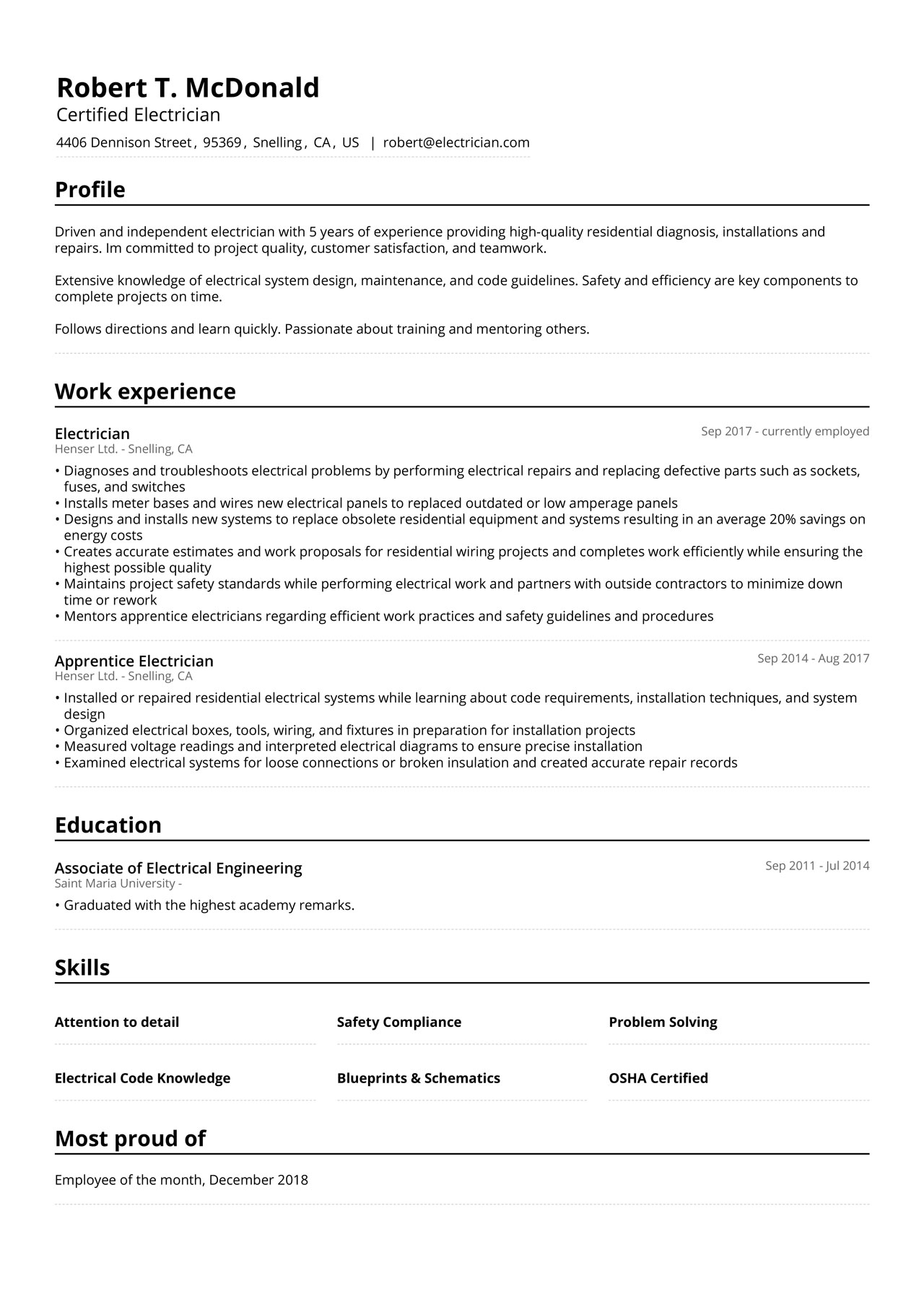
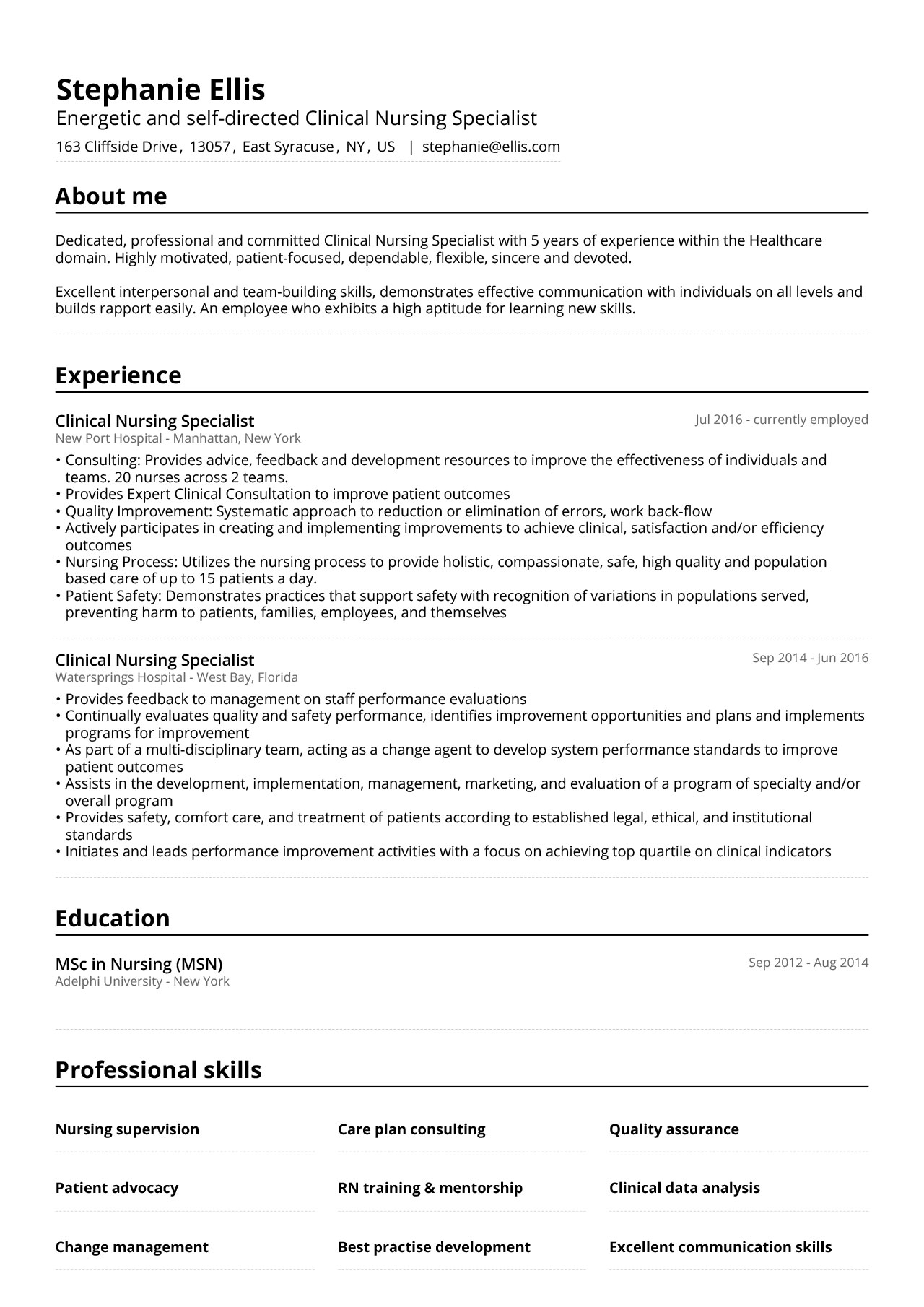
Below here are some professional CV examples from different professions.
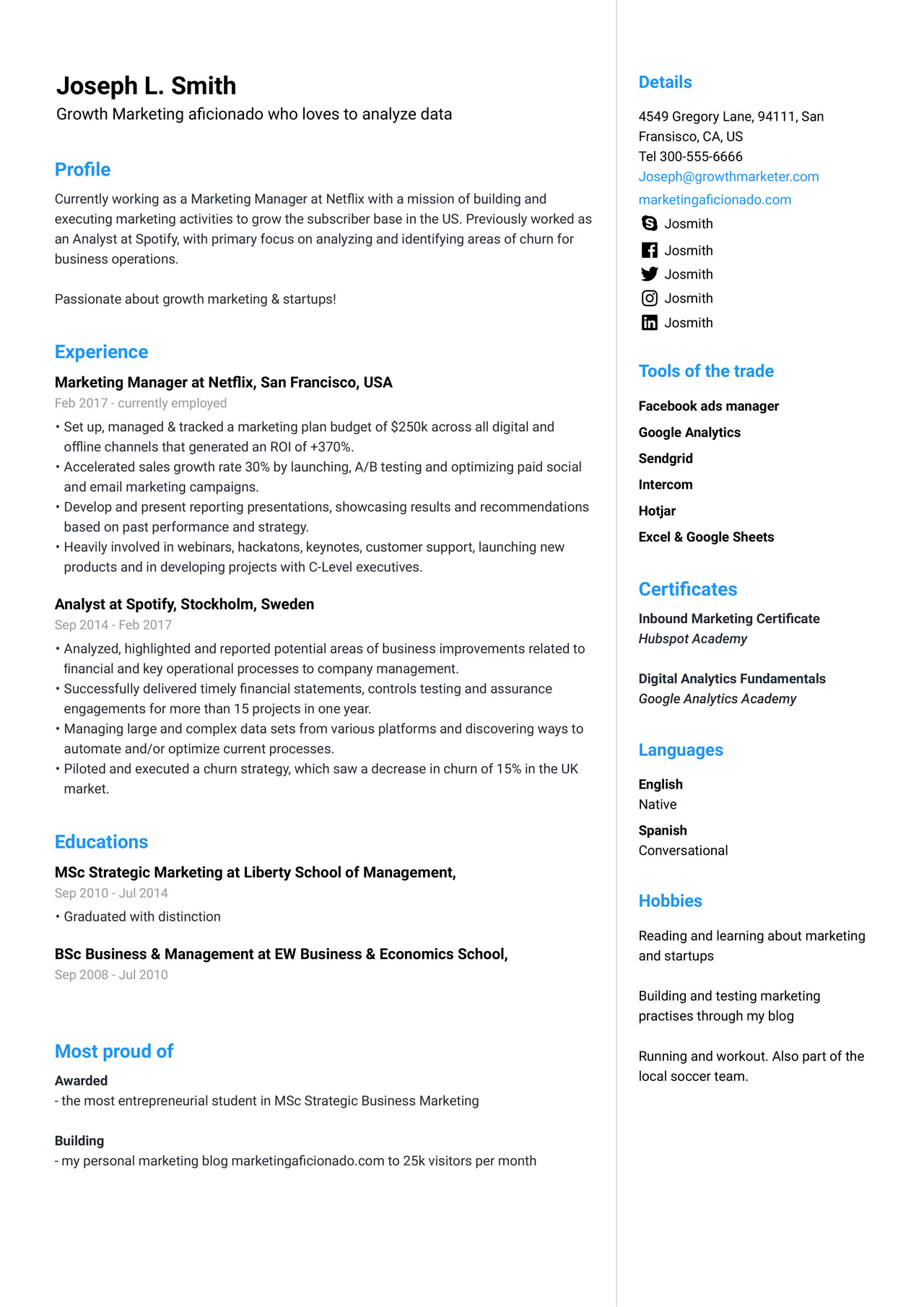
Front End Developer CV example
![How to Write a Motivational Letter [Examples and Tips]](https://jofibostorage.blob.core.windows.net/blog/Motivational-letter-small.jpg)